MD-logo

Microsoft Designer: Simplifying Design with AI

AI | Productivity | Text to Image

This is a design platform that leverages Artificial Intelligence to enhance the creative process, making it more efficient and user-friendly. This tool is designed to help professionals, teams, and organizations improve their visual storytelling with a range of intelligent features and an intuitive interface. Microsoft Designer supports the creation of a variety of visuals, from social media graphics to comprehensive marketing materials, helping users produce engaging and visually appealing designs quickly and effectively.

OVERVIEW

It offers a modern approach to design, utilizing AI to facilitate the creation of compelling visuals. This platform is tailored to assist in generating high-quality designs efficiently, making it an excellent resource for individuals and teams eager to produce captivating content. Microsoft Designer simplifies complex design tasks with its AI-driven features, allowing for the rapid creation of everything from infographics to detailed marketing materials.

KEY FEATURES

Design Creation

The platform incorporates advanced AI technologies, including natural language processing and computer vision, to allow users to create designs from text prompts or uploaded images. This feature is especially useful for transforming complex ideas into clear visual representations with little manual effort.

Extensive Design Toolkit

The platform includes a robust set of tools that cater to diverse design needs. Microsoft Designer offers AI-enhanced image creation, sophisticated data visualization capabilities, and an array of customizable templates and editing tools. These features are designed to optimize your design process, whether you're starting from scratch or modifying an existing project.

Brand Consistency and Management

A key feature of Microsoft Designer is its strong brand management system. Users can maintain a consistent brand identity across all designs by managing brand-specific elements like colors, fonts, and logos centrally. This not only boosts brand recognition but also simplifies the design approval process to ensure adherence to brand guidelines.

WHAT CAN IT BE USED FOR?

Microsoft Designer is versatile, supporting various professional and organizational needs:
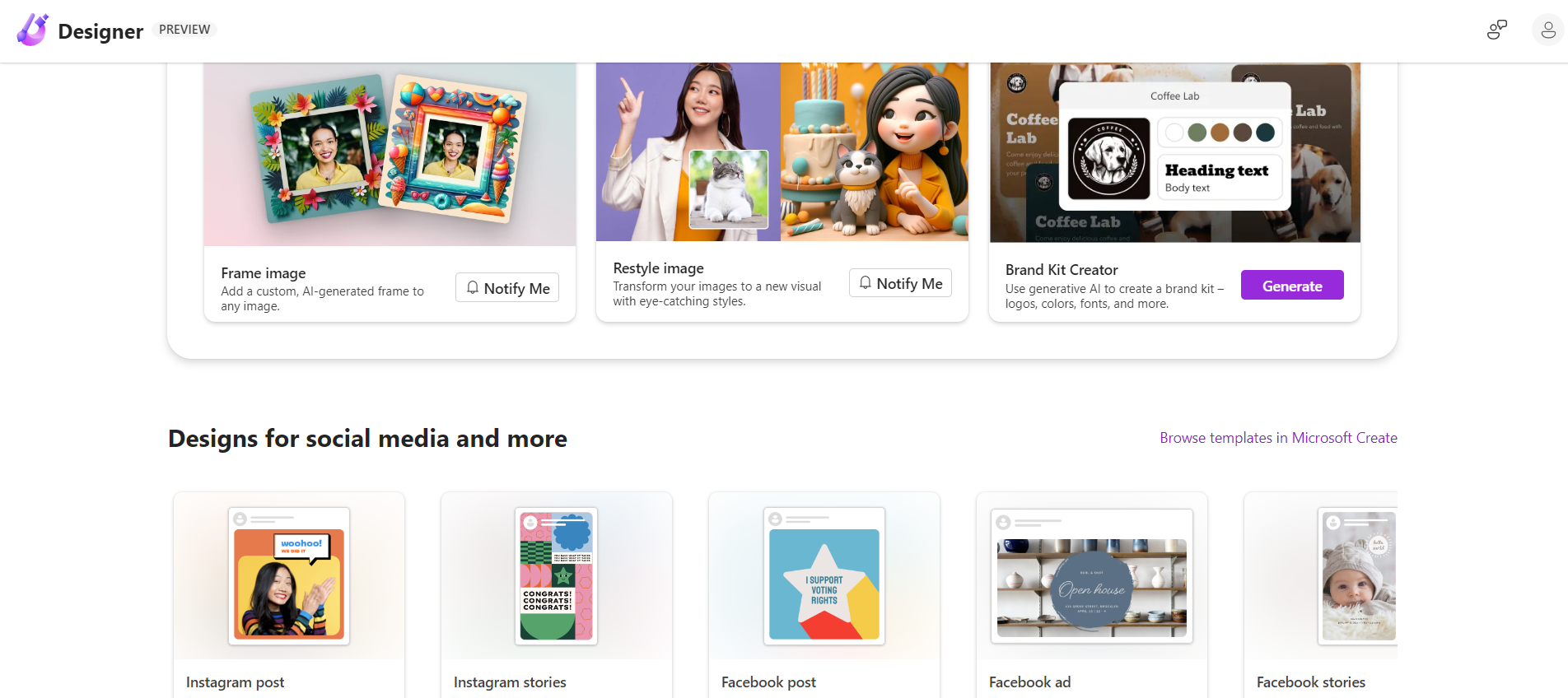
  • Marketing and advertising: Generate dynamic social media content, digital advertisements, and marketing materials with ease, ensuring your message is both impactful and visually striking.
  • Presentations and pitches: Create engaging presentations and pitches that capture and maintain audience attention, facilitating effective communication.
  • Product design and visualization: Visualize product concepts with detailed 3D models and interactive prototypes, enhancing the design and development workflow.
  • Infographics and data storytelling: Communicate complex data and research findings through clear and informative infographics and designs.

PROS
  • AI-driven design capabilities enhance efficiency and creativity
  • User-friendly interface with automated design suggestions and layout optimization
  • Comprehensive toolkit supports a wide array of design tasks
  • Ensures brand consistency with centralized brand asset management
  • Offers integration with Microsoft Office products and cloud services
  • Supported by a robust customer service framework including live chat and email
CONS
  • May require a learning period for those new to AI tools or advanced design techniques
  • The subscription model might not be economical for all users
  • Limited customization could be restrictive for very specific design needs
  • Dependence on cloud services might pose privacy concerns for sensitive data

Disclaimer

While Microsoft Designer offers an innovative solution for design creation, it is important to consider your specific needs, workflow, and budget to determine if it is the right tool for your organization.

Our Community Experiences

No data was found
Please select form to show

🎃Afraid AI Might Take Over?🎃

Conquer AI with our Halloween Special Spooky Deal..!

Days
Hours
Minutes
Seconds

On Membership Plans!

Join Now Before This Deal Disappears! 👻

Adi’s State of AI & Office Hours

The “Adi’s State of AI & Office Hours” webinar delves into the latest AI advancements, discusses strategic moves by tech giants, and features live demos of AI tools. Participants gain insights into the current AI scene and can engage in a Q&A session for practical AI advice and strategy.
 

Secure your place today and stay ahead in the fast-evolving AI landscape.